
Introducing Enhanced User Roles & Granular Permissions in Buildmate. With our latest update to the Buildmate Users module, we have improved how you manage user profiles and access controls. Here is a look at what is new:
Please note that this feature is in beta.
How it works
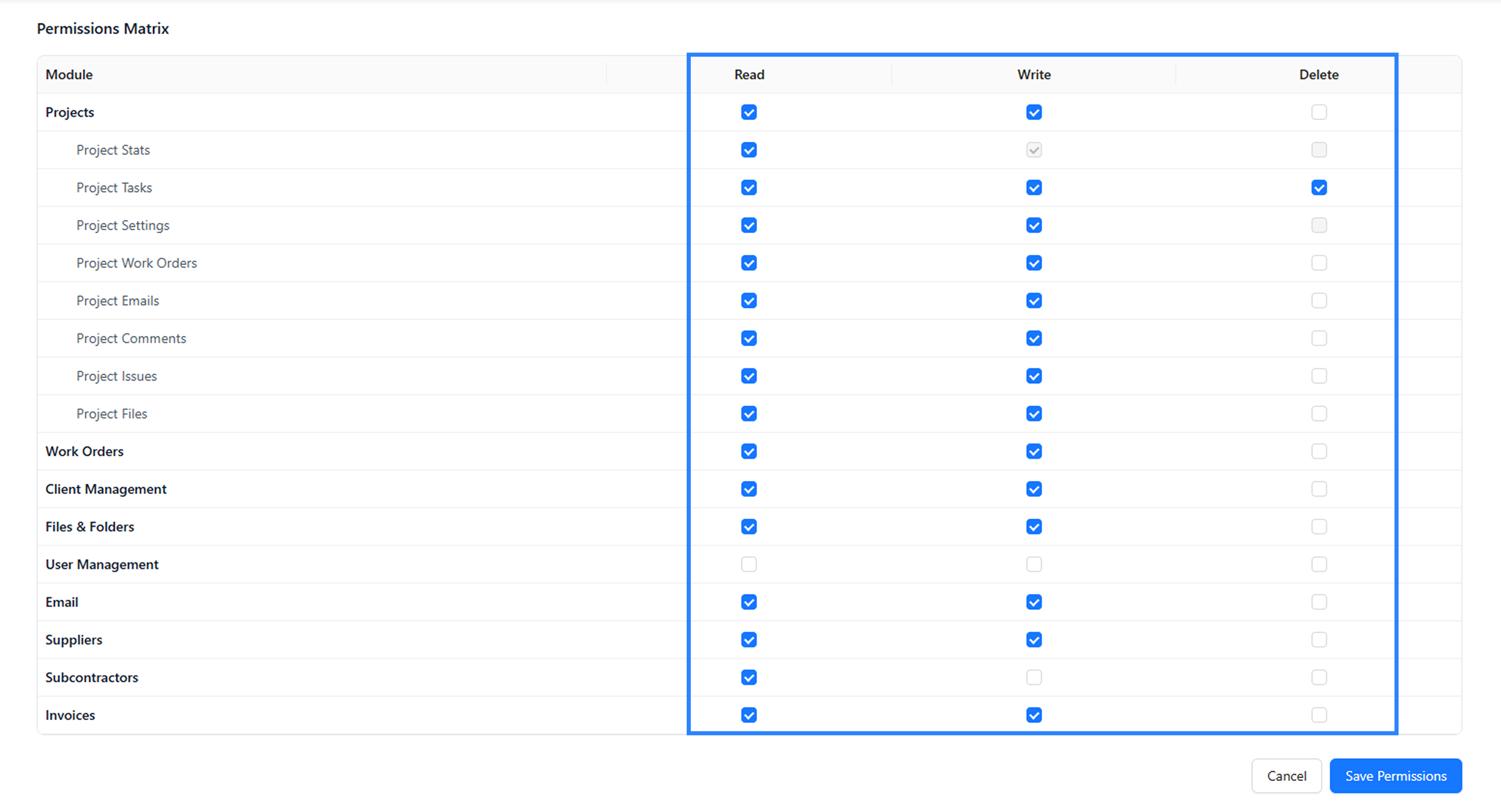
Permissions Matrix
Buildmate uses a module-based permission model. Each feature is treated as a module, and permissions are assigned per module instead of per screen. Current modules include Projects, Work Orders, Emails, Files & Folders, User Management, Client Management, Suppliers, Subcontractors, and Invoices.
Each module supports three permission levels:
| Permission | What it does |
|---|---|
| Read | View and access module data |
| Write | Create or update records |
| Delete | Permanently remove records |
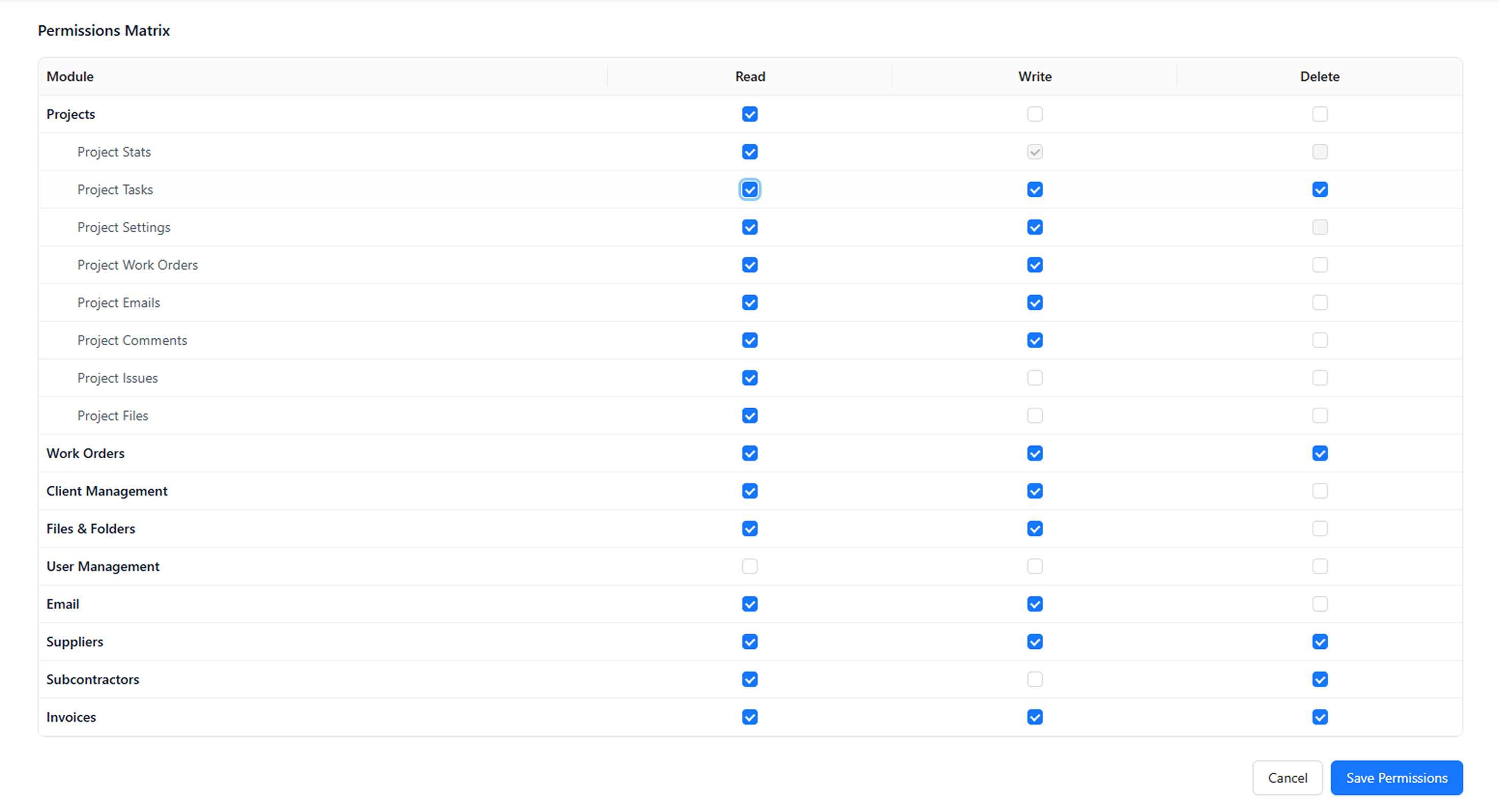
Nested access
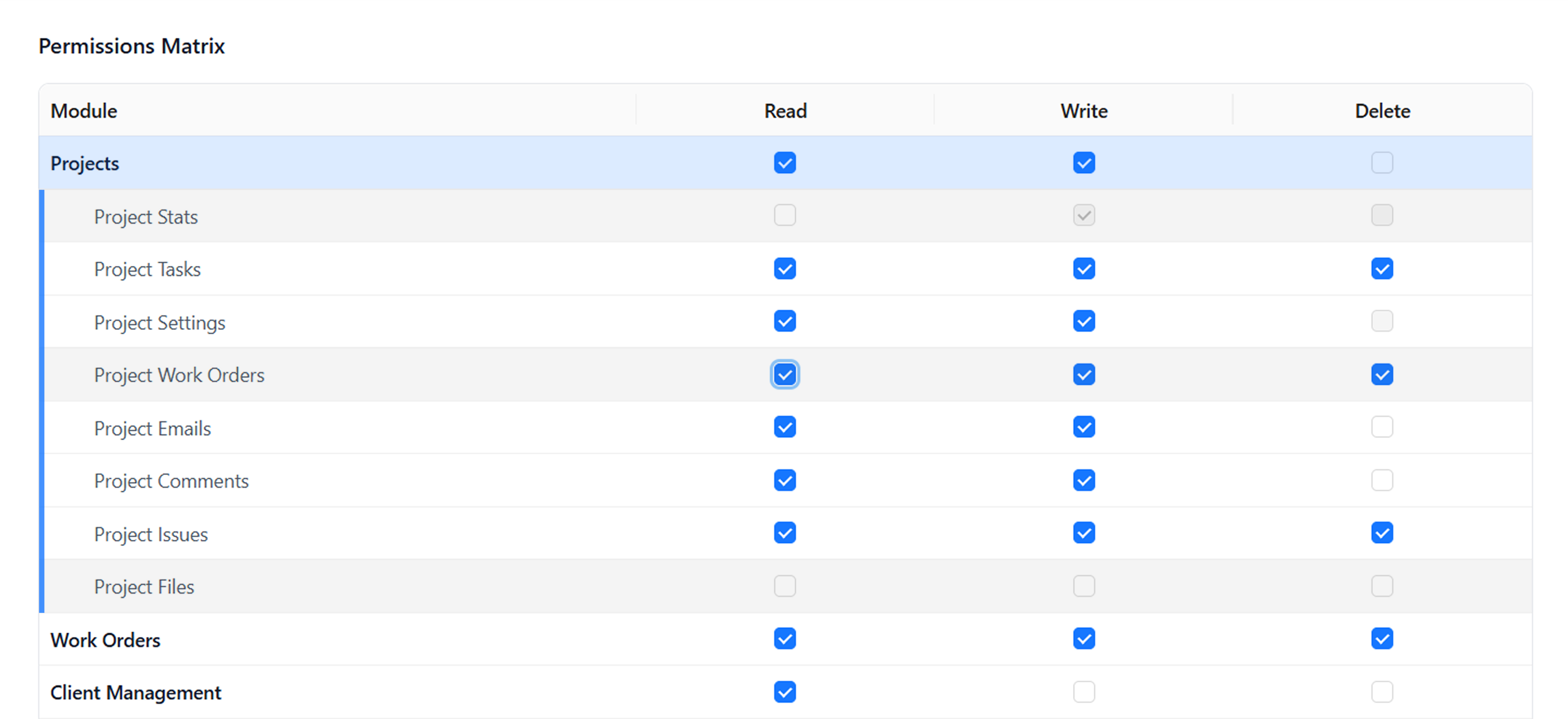
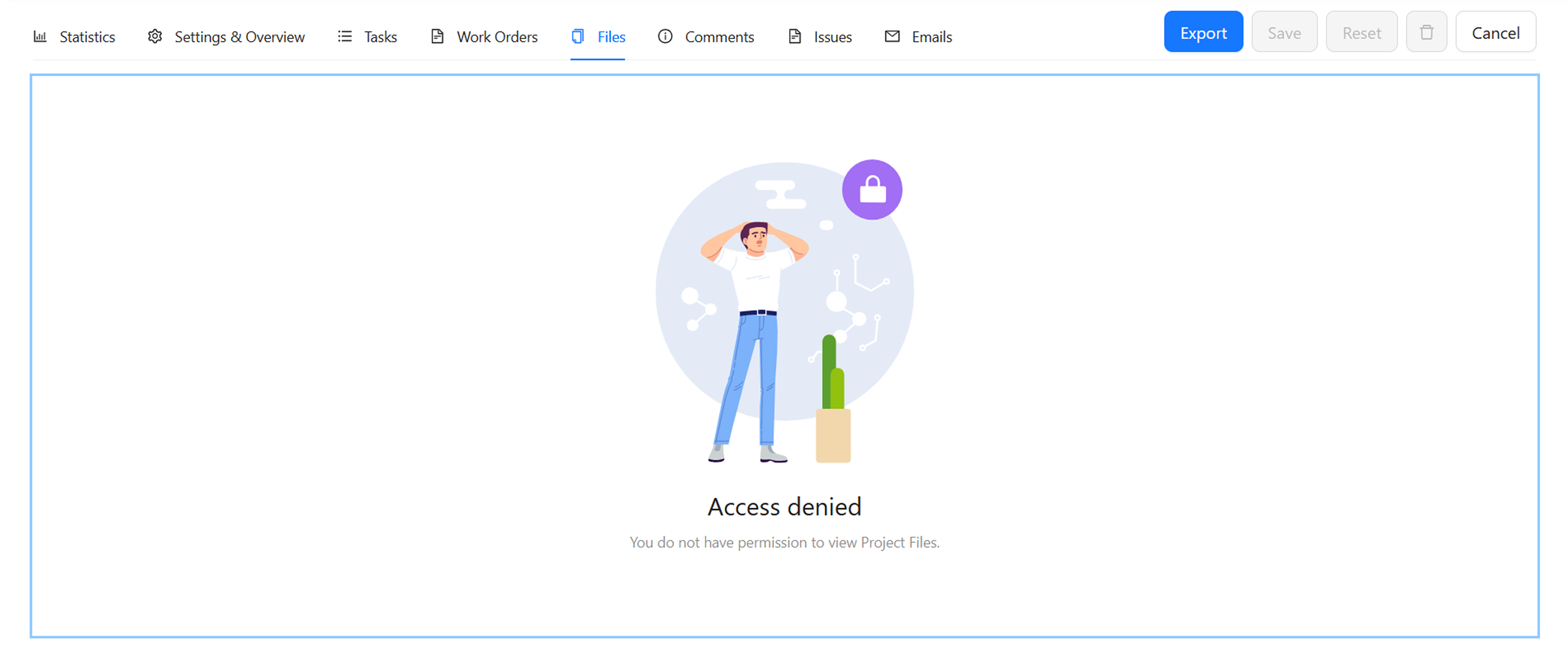
Permissions can also be nested inside a project or parent module. That means a user might have access to a project, but only some of its related areas.
For example, a user could see a project but not project files, or access work orders without seeing project statistics. This gives organizations finer control over internal teams, contractors, and clients.
Quick Select Role templates
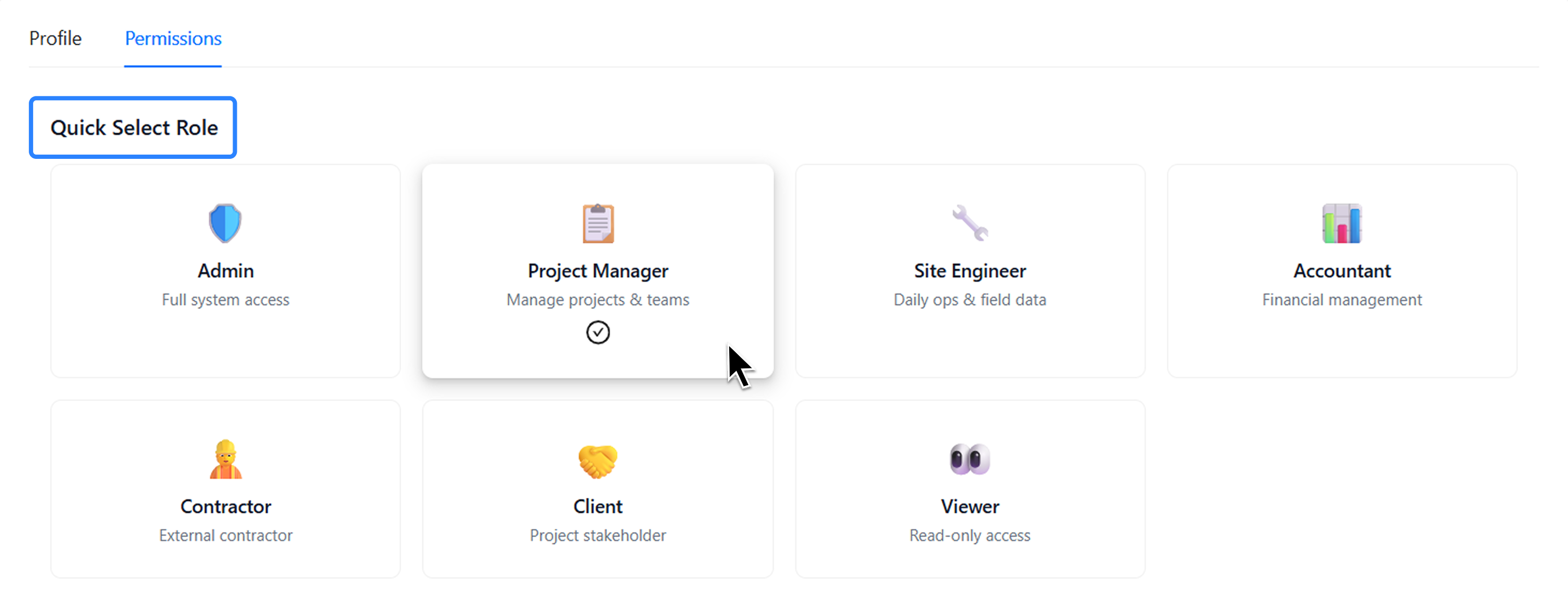
To help you set up new team members in seconds, the Permissions tab now features a visual Quick Select Role presets. These predefined templates instantly apply standard permissions based on the user’s responsibilities. Administrators can either apply one of these presets or set permissions manually.
By default, newly created users are assigned the Project Manager preset.
Admin: Grants full system access.Project Manager: Equips users with the tools to manage projects & teams.Site Engineer: Tailored specifically for managing daily ops & field data.Accountant: Focused purely on financial management.Contractor: Configured for an external contractor.Client: Designed specifically as a portal for a project stakeholder.Viewer: Restricts the user to safe, read-only access across the board.
This keeps onboarding fast while still allowing custom access when a team needs it. Explore the updated users module to take total control of your team’s security and efficiency.