
We are thrilled to announce a major capability requested by many of our users: Work Orders.
This month, we bring together a comprehensive set of powerful enhancements designed to give you complete control over your project workflows, subcontractor management, and day-to-day tasks. Based on your feedback, we’ve fundamentally upgraded how you manage projects, scopes, and execution.
Introducing Work Orders
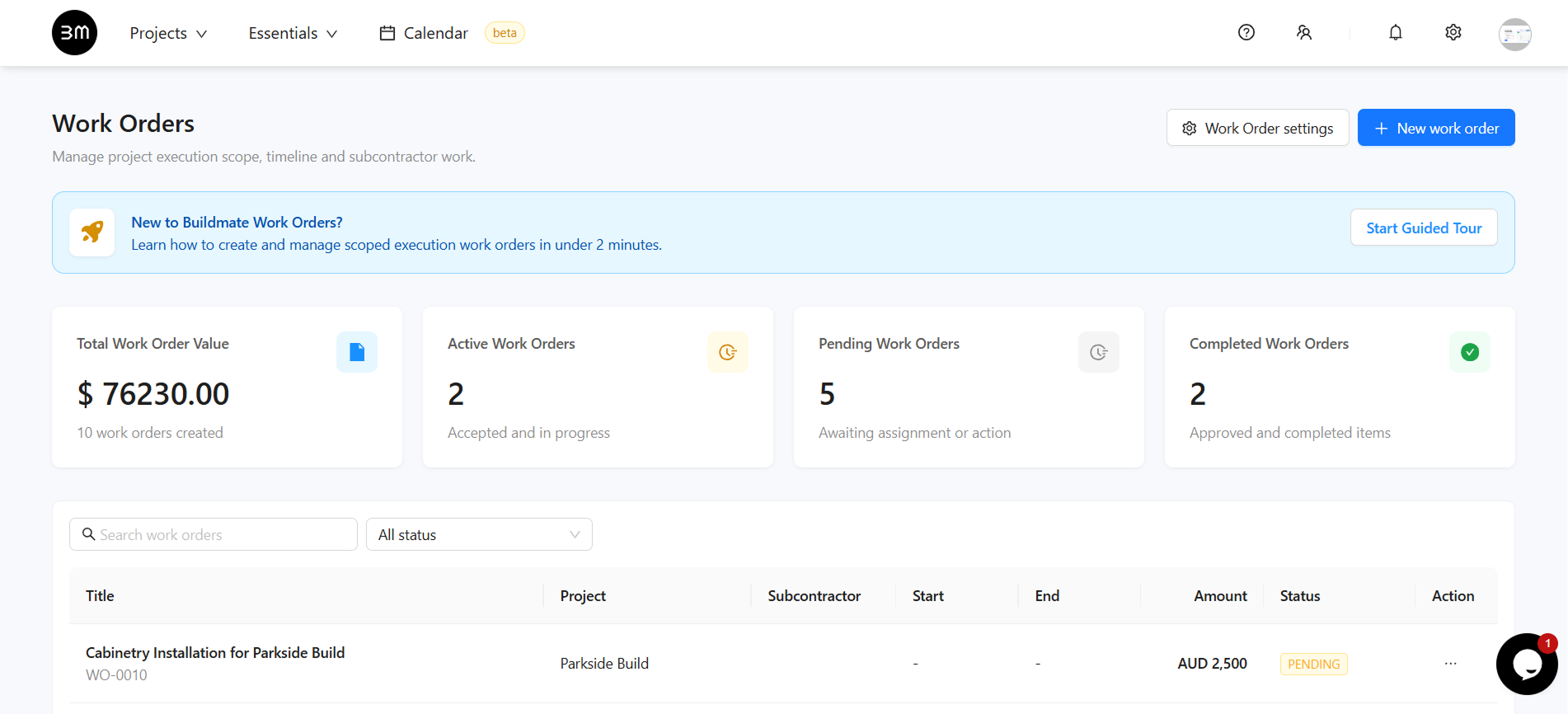
Managing subcontractors, capturing execution parameters, outlining billing rates and scopes of work is now natively supported within your Buildmate workflow with AI-powered automation. You can now generate Work Orders aligned exactly to specific Projects and Tasks.
- Global Dashboard: A single hub for all sub-contractor and task-level agreements across all projects with a Metrics Overview to track total work order value, active orders, pending and complete work orders.
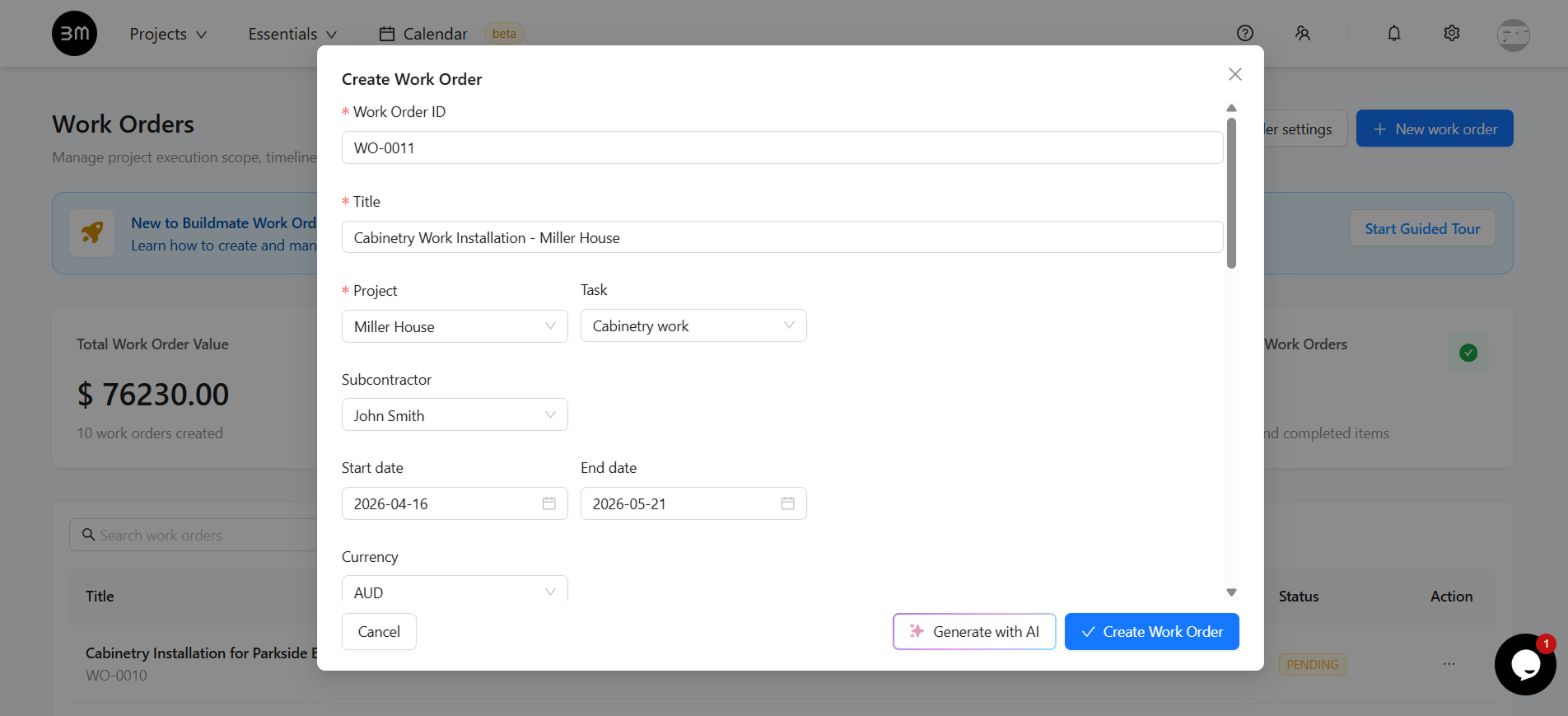
- Create new work order: Generate Work Orders aligned with specific Projects and Tasks, including a flexible Bill of Quantities (BOQ) and detailed execution context - timeline, precise payment terms, specific scope of work and internal notes.
- AI Drafts: With the click of the Generate with AI button, Buildmate can analyze the parent task context and automatically draft the Work Order’s title, scope, payment terms, and suggest suitable parameters. Review the generated values, adjust as needed, and deploy in seconds!
- Work Order Settings: Configure default settings and manage templates for different job types.
Task Stage Management
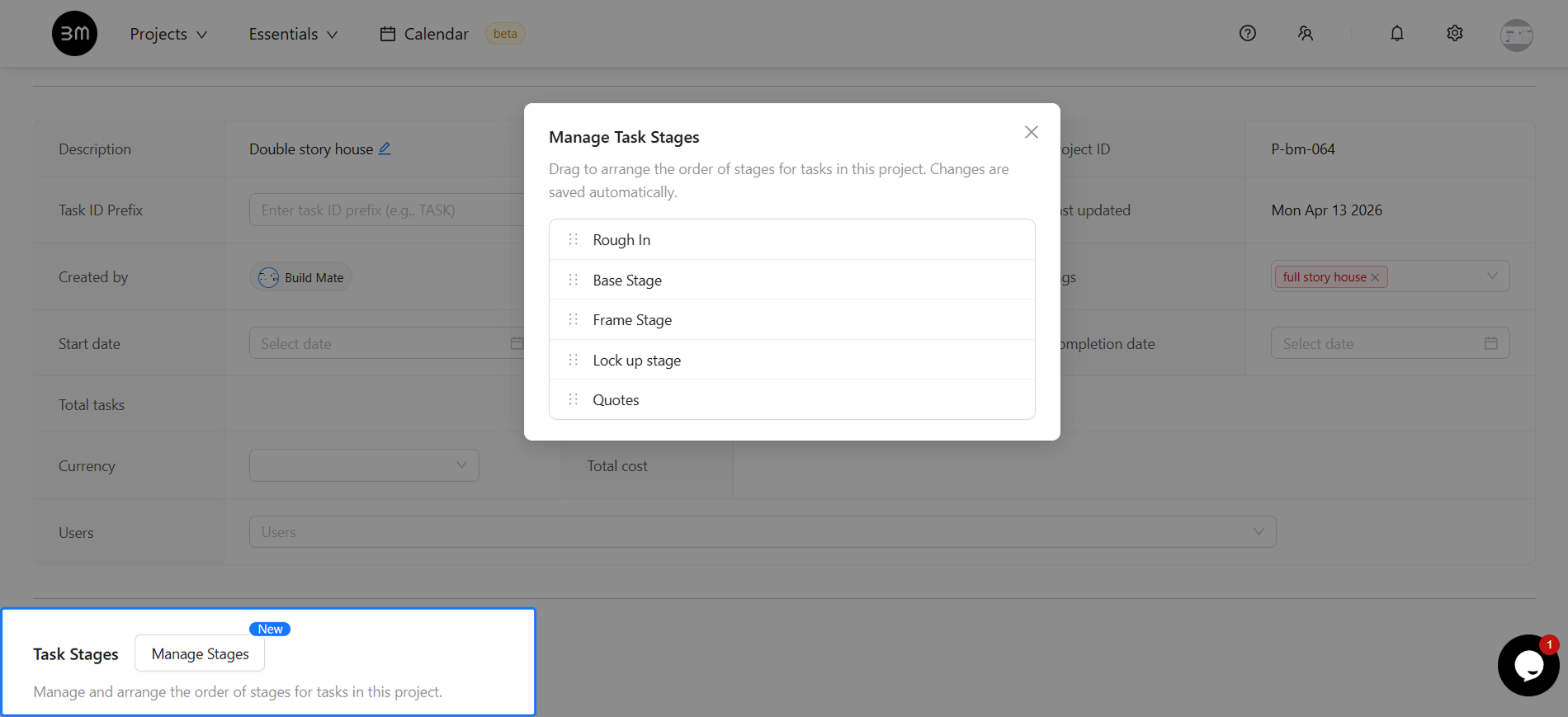
Every project is unique, and your workflows should reflect that. We’ve introduced a brand new Manage Task Stages feature inside the Project Settings & Overview tab.
- Customizable Order: You can now drag and drop project stages to arrange them in the exact order that makes sense for your build.
- Real-Time Timelines: The order you define is instantly reflected across the platform. Your Project Task Stages Timeline and Task Tables will automatically reorder themselves to match your custom workflow sequence.
- Auto-Save: No need to hit save - your stage order is automatically synced and updated the moment you drop a stage into its new position.
Introducing Project Calendar
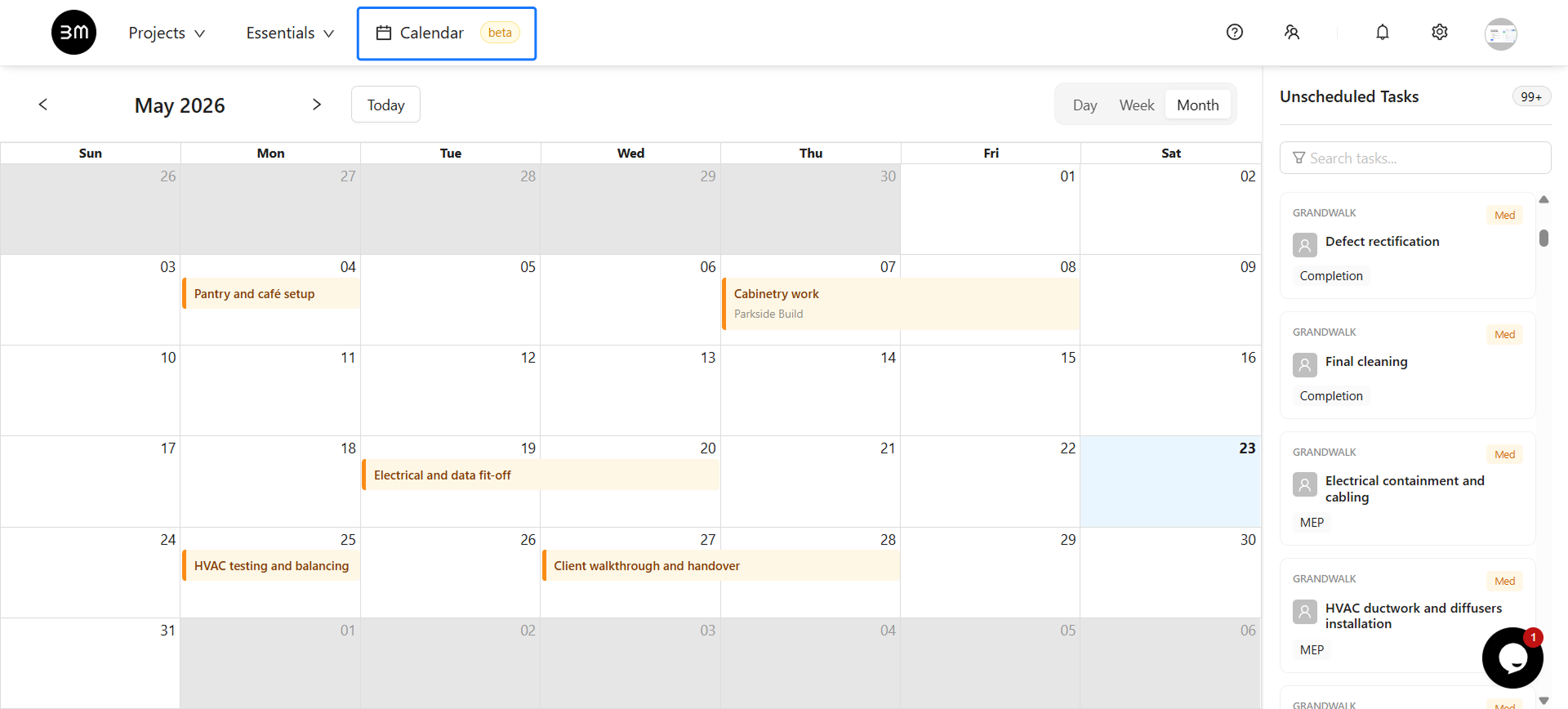
Meet the new Project Calendar, a powerful Gantt-style view to visualize your project timelines. This interactive calendar helps you track task dependencies, manage schedules, and get a high-level overview of your project’s progress.
- Visualize Timelines: See all your tasks laid out on a timeline, making it easy to spot overlaps, track dependencies and plan ahead.
- Drag-and-Drop Scheduling: Easily adjust task start and end dates with a simple drag-and-drop interface.
- Integrated with Tasks: The calendar is fully synced with your project tasks, so any updates are reflected in both views.
- Multiple Views: Switch between
Day,Week, andMonthviews to get the perfect level of detail for your planning needs.
Stay tuned as we continue linking Work Orders natively into invoicing and financial reporting in the coming updates! Login to try out these new features.