This month we have rolled out some significant updates and improvements. Introducing Pricing Plans - Lite, Standard and Advanced and powerful new Inbound Emails feature. Completion Date can now be added to tasks, and Latest comments now appear at the top for better communication flow.
New Feature
Highlight
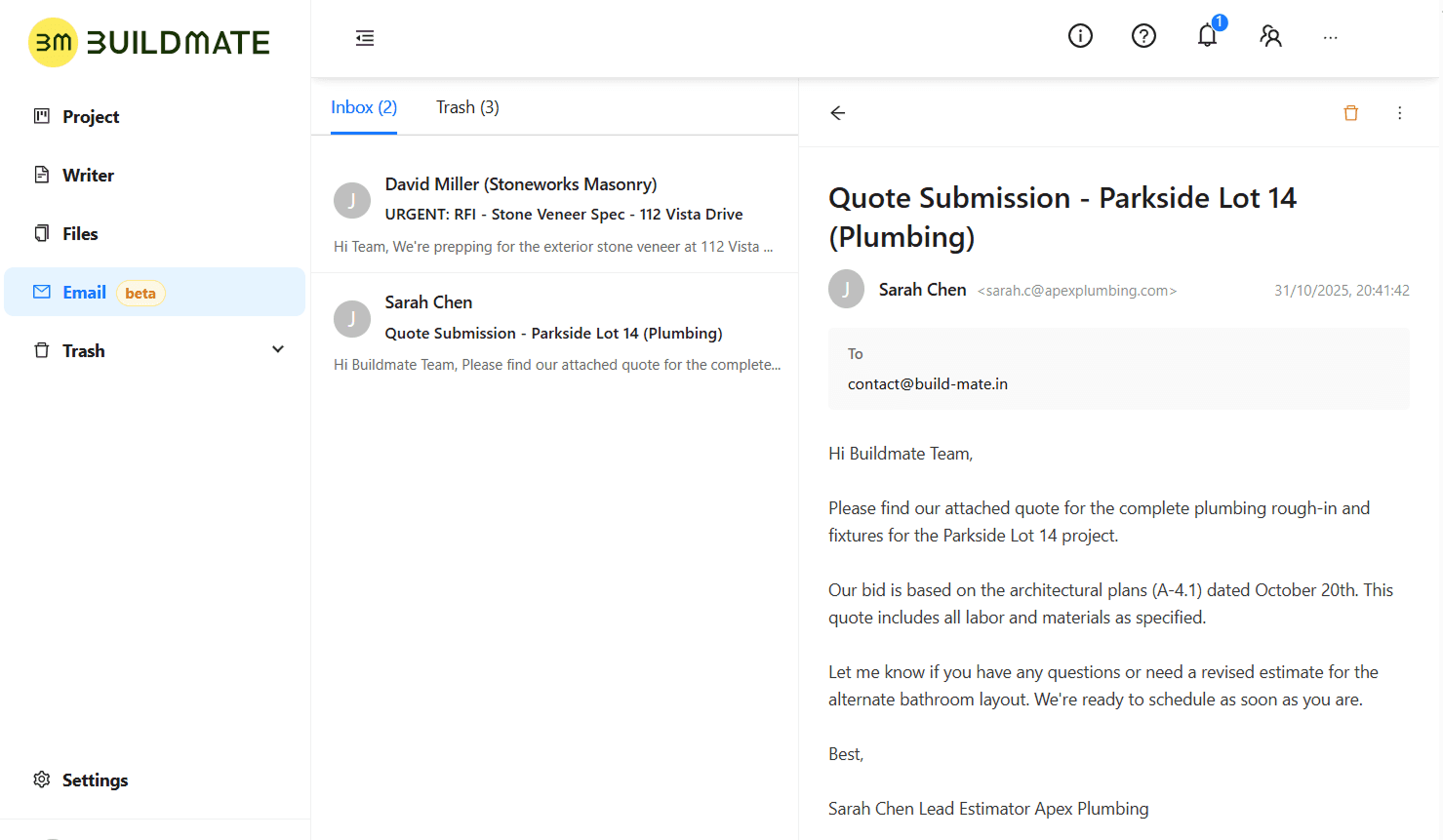
With the new Inbound Emails feature in Buildmate, your company gets a unique, dedicated email address (like yourcompany@build-mate.in). When clients, suppliers, or subcontractors send emails to this address, they appear instantly inside your Buildmate workspace.
How it Works:
Receive: All emails sent to your new Buildmate address are captured directly within the app. You get a dedicated, secure inbox to manage all external communication.
Assign: Open any email and, with one click, connect it directly to a specific project.
Centralize: The email, its content, and all its attachments are now permanently logged and stored with that project.
Announcement
We're excited to announce our new pricing plans, crafting simple, transparent tiers to ensure you only pay for what you need. And to help you get started, all our plans include a 30-day free trial.
Free: The perfect starting point to manage your first projects.Lite: Ideal for small contractors and growing teams.Standard: Our most popular plan for established businesses managing multiple projects.Advanced: The complete package for high-volume teams and complex portfolios.Enterprise: A custom solution for large-scale operations needing advanced security and branding.
Improvement
New in Tasks: Add a Completion Date
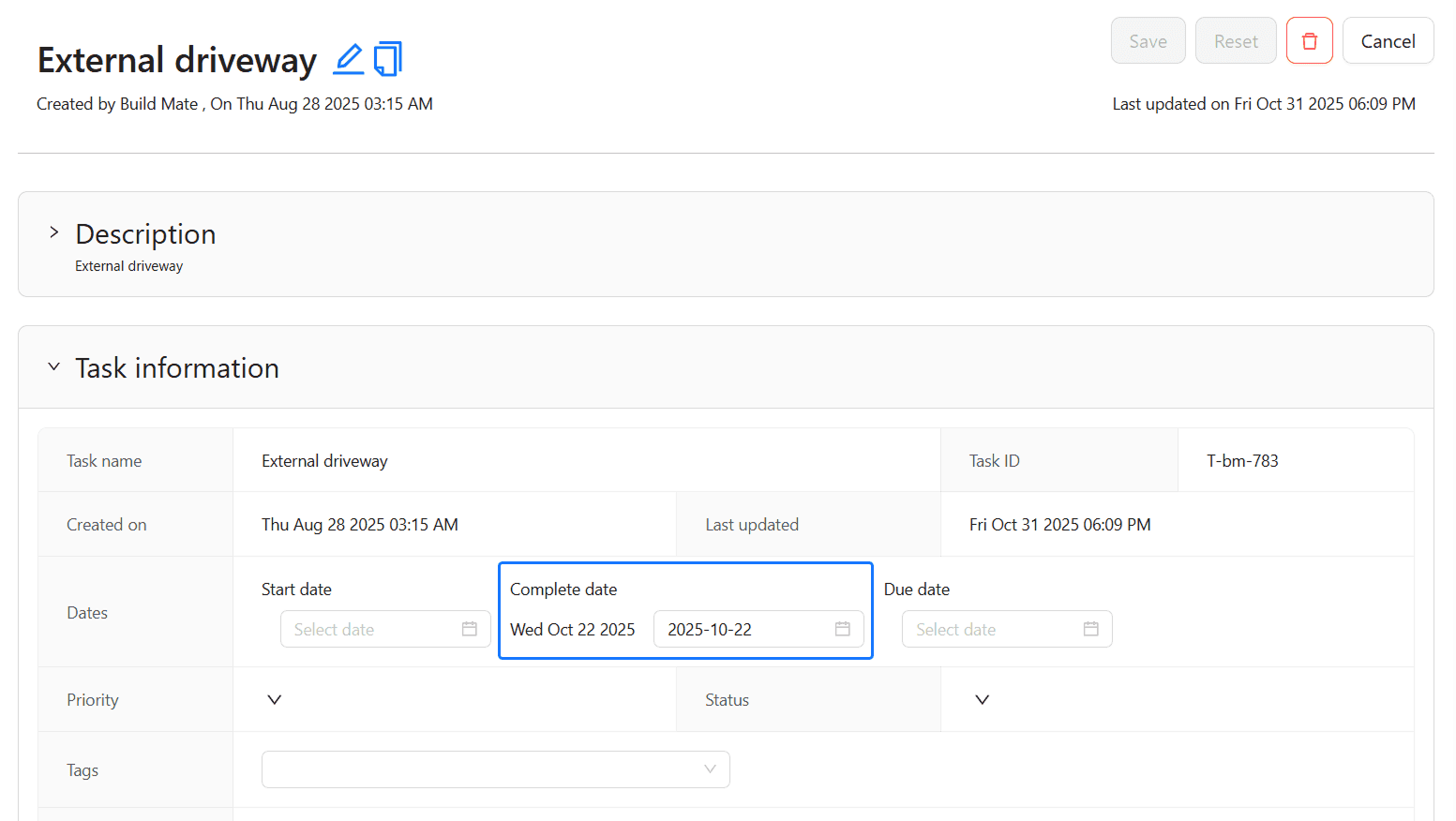
You can now add a 'Complete date' to every task in Buildmate. As shown in your task details, this new field appears in the "Task information" section alongside the 'Start date' and 'Due date'.
This allows you to log the actual date work was finished, giving you more accurate project tracking and a clear historical record of all milestones.
Bug Fixes
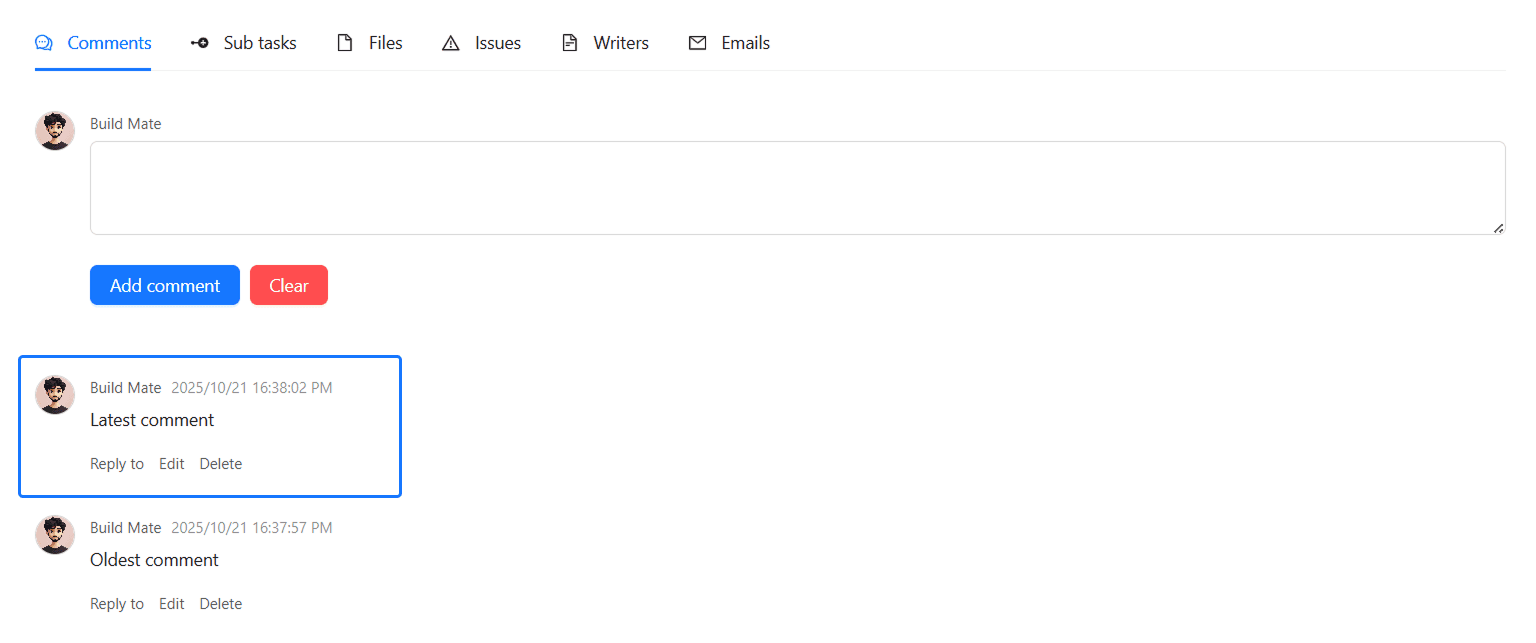
We've improved the Comments tab in your tasks. All comment threads are now sorted with the latest comment at the top, so you can see the most recent update instantly. No more scrolling to the bottom to find out what's new.
That’s all for this month. Sign up to explore these features and a lot more. Stay tuned!