As 2025 comes to a close, we’ve focused on bridging the gap between project management and financial operations while making it effortless to launch your new builds. From a complete Invoice management workflow to a more diverse and detailed Project Creation experience, we are streamlining how you manage your data and your site operations.
Here is a look at what’s new in Buildmate this December.
Highlight
New Feature
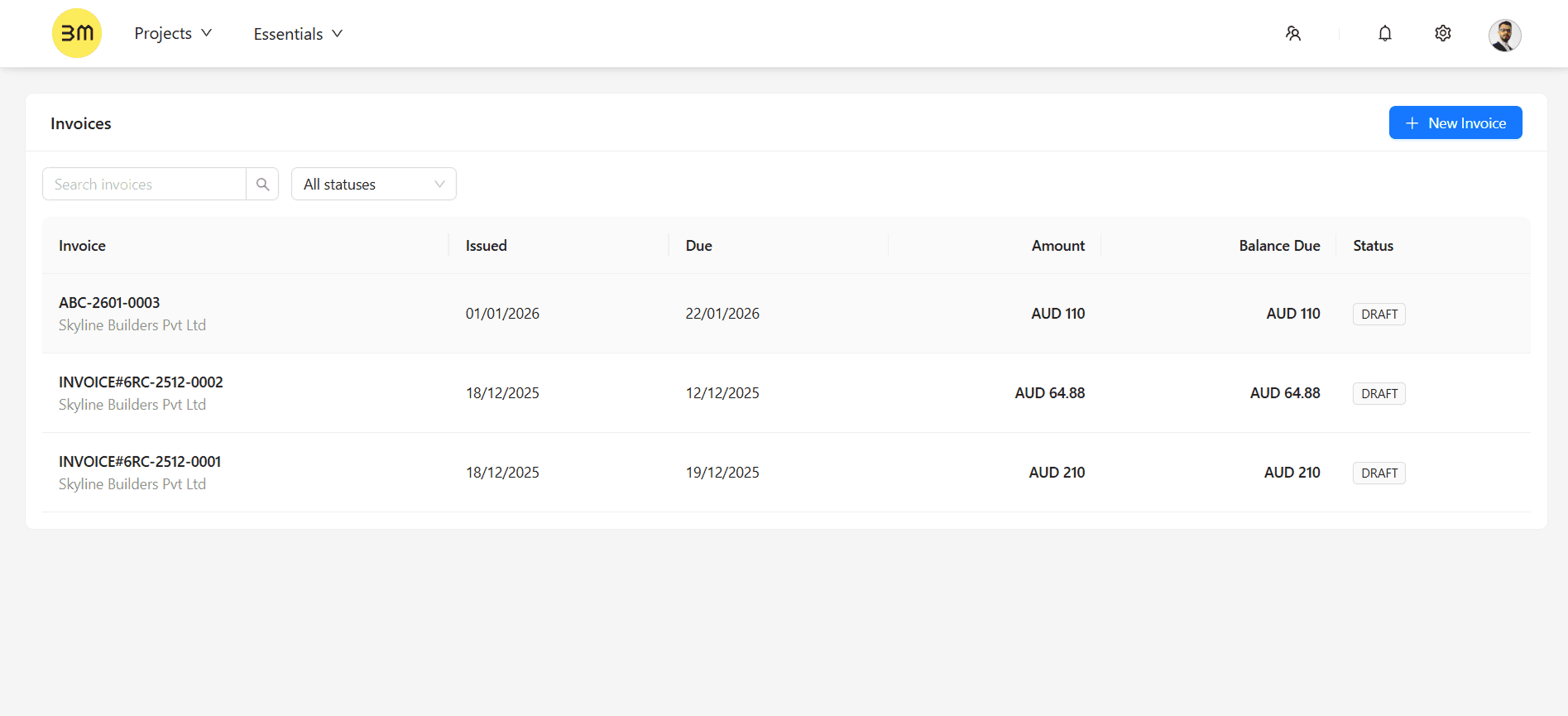
Managing your cash flow is now just as easy as managing your site schedule. Introducing a complete Invoicing Workflow that allows you to manage the lifecycle of your invoices directly within Buildmate.
How it Works:
Create & Edit: Generate professional invoices with line items and custom tax settings in seconds.
Send to Client via email: Deliver finalized invoices directly to your clients' inboxes through our integrated email system.
Status Management: Monitor your billing pipeline at a glance by managing statuses such as "Draft" and "Sent" to keep your records accurate.
Improvement
Setting up a new project is now faster and more intuitive. We have completely redesigned the Create Project experience to provide more clarity and a wider variety of pre-built workflows.
The updated UI introduces a "Template First" approach, offering industry-specific structures to ensures your project is populated with the correct milestones and task dependencies from day one.
Key Enhancements:
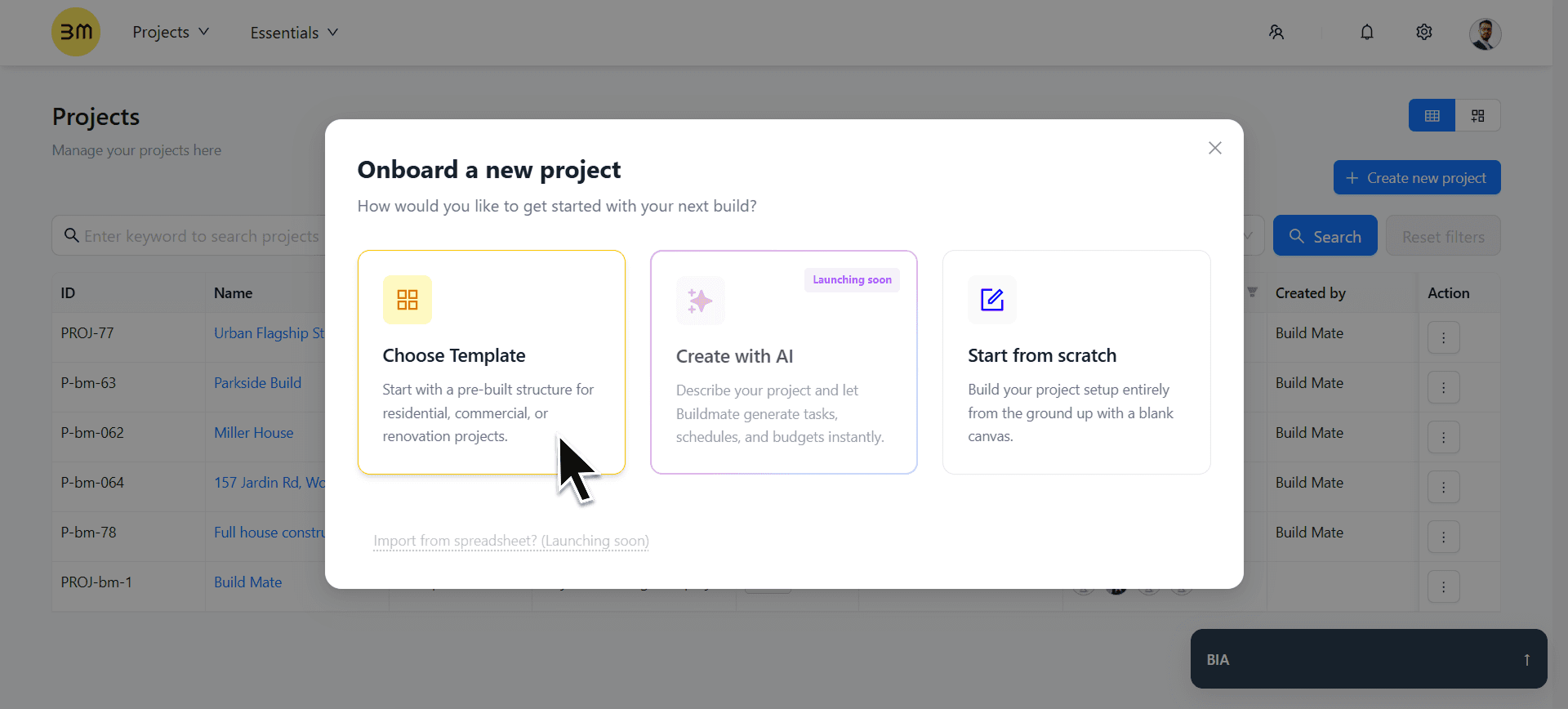
Three Ways to Start: You now have 3 distinct paths to launch your next project:
Choose Template: Select from our library of high-detail industry workflows.
Start from Scratch: Build your project setup entirely from a blank canvas.
Create with AI (Coming Soon): Describe your project and let Buildmate generate tasks and schedules instantly.
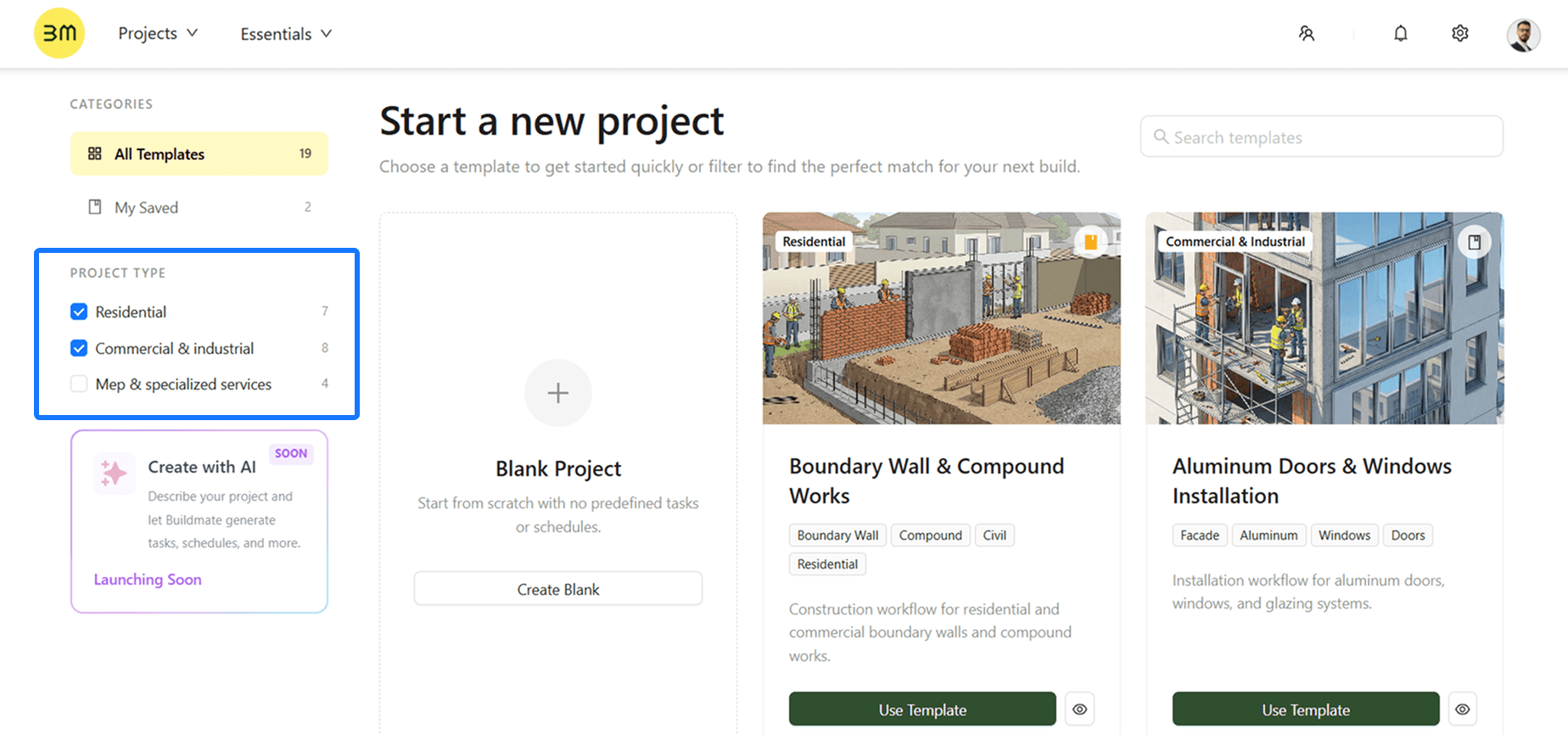
Category Filters: Easily navigate our expanding library using Project Type catgeory filters like Residential, Commercial & Industrial, or MEP & Specialized Services.
Bookmark Favorites: Click the Bookmark icon on any template card to save it; you can quickly access these favorites later from the My Saved tab.
Detailed Previews: Review task counts and timeline overviews before you start, ensuring the template fits your specific needs.
Take a look at our detailed guide to see how these templates can accelerate your setup.
Bug Fixes
That’s all for this month and for 2025! Stay tuned — we have some game-changing AI integrations arriving early in 2026!
Create Project with AI : Launch entire projects by simply describing your build.
Buildmate's AI chatbot : Get instant answers about your project data, task statuses and much more.
Agentic AI : Advanced AI agent designed to proactively manage workflows.