We are back with another monthly update!
We've focused on giving you total control of your project information this month. From powerful ways to Export Project data to making it effortless to Import Files from Email and enabling seamless Outbound Emails, we're streamlining how you manage your data and communication.
Here is the detailed breakdown:
New Feature
Highlight
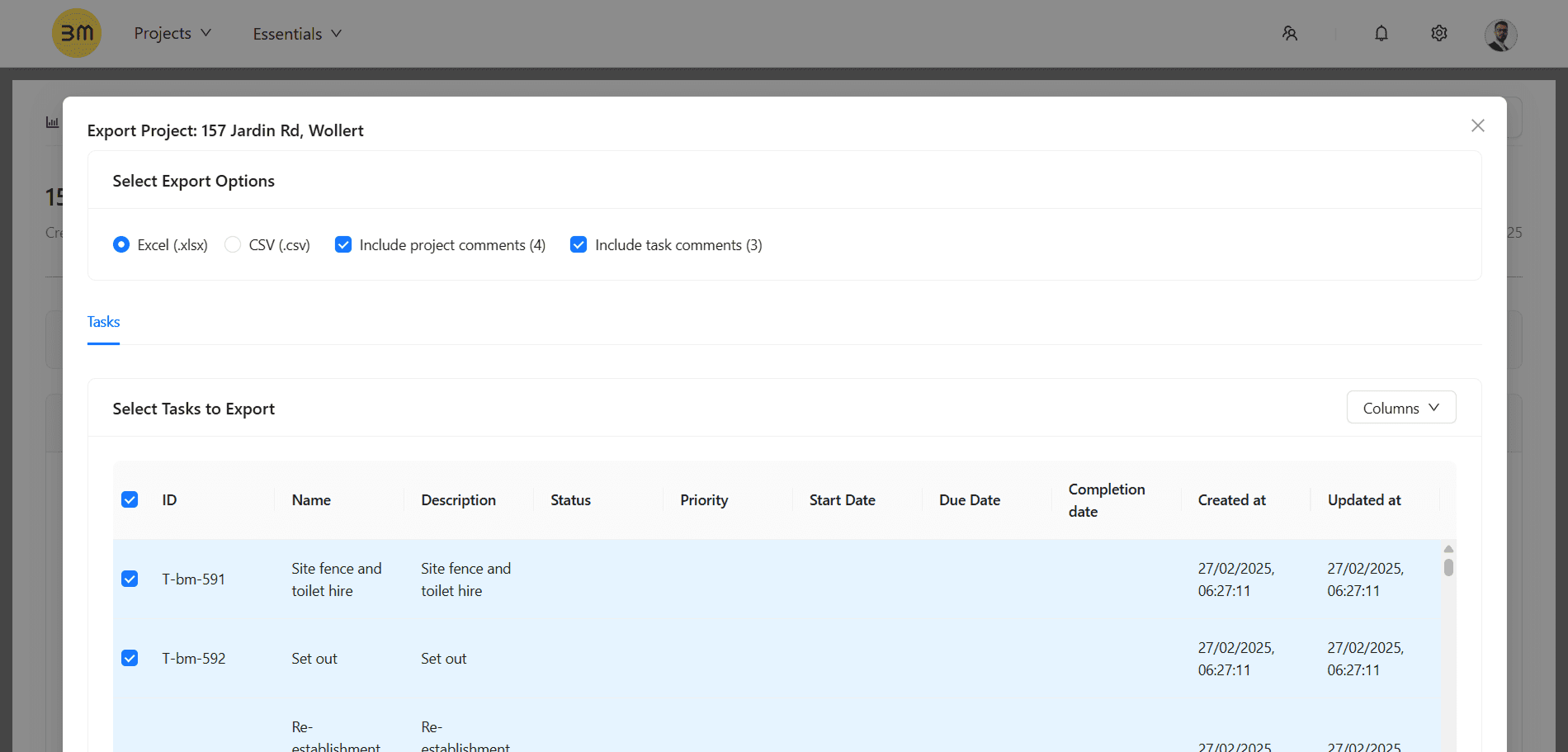
You asked, and we delivered! You can now easily Export your projects and tasks from Buildmate in the industry-standard formats of Excel (.xlsx) or CSV (.csv). This new capability allows you to download all crucial project data, including tasks, statuses, comments, and all custom fields.
How it Works:
Select Project: Go to your Project Dashboard and open the project you want to export.
Initiate Export: Click the Export button at the top right of the details screen.
Configure & Download: Choose your format (.xlsx or .csv), select to include project or task comments, select the tasks and columns you want to include, and click Export to download the file instantly.
Take a look at our detailed guide to understand how to Export Project in Buildmate.
New Feature
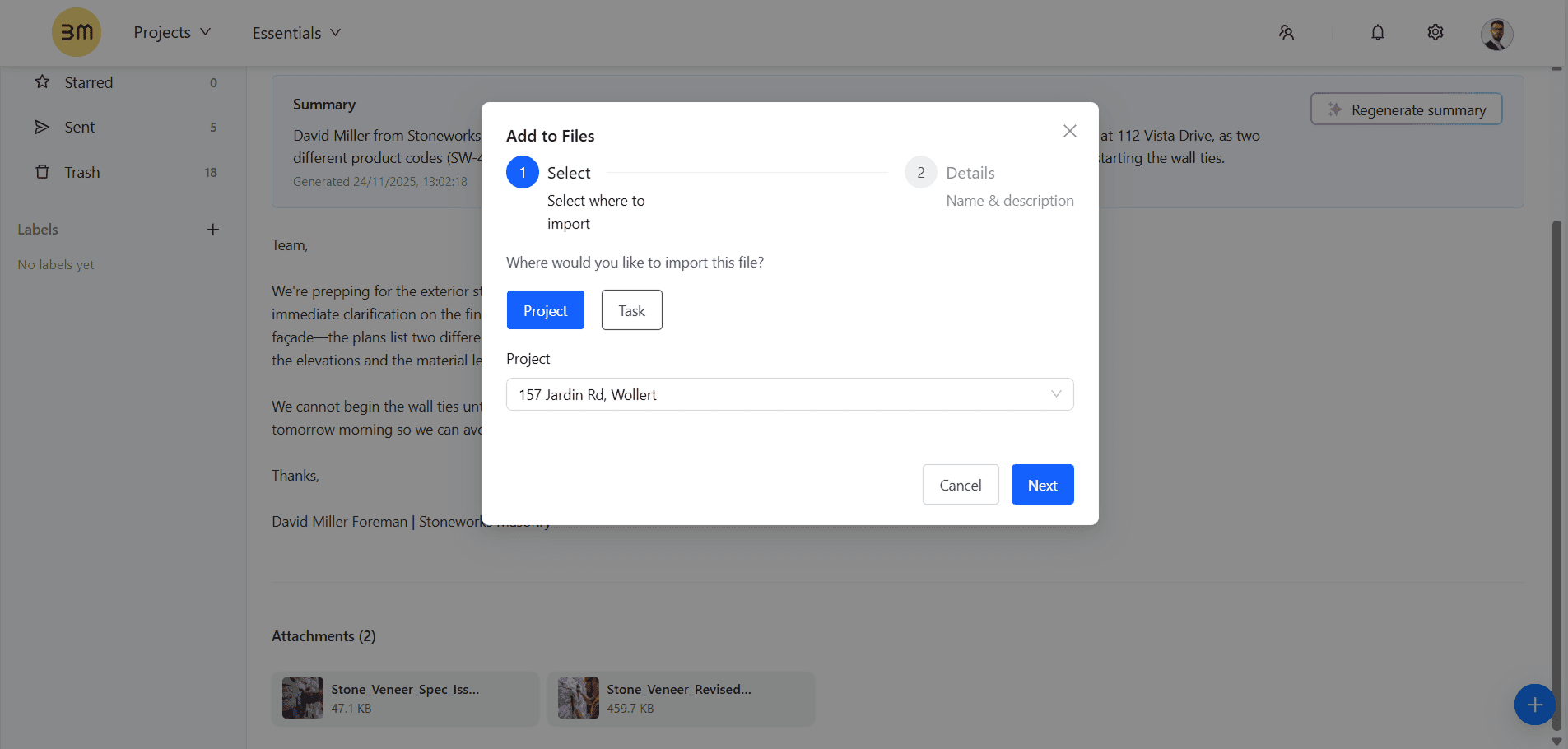
Centralize your documents without leaving the platform. We're bridging the gap between your email and your project files! This powerful new feature lets you connect attachments from your inbound emails directly to your corresponding project and task files in Buildmate. Say goodbye to manual downloading and messy folder structures—effortlessly organize site photos, contracts, and supplier documents right where the work happens.
Take a look at our detailed guide to understand how to Import Files from email.
New Feature
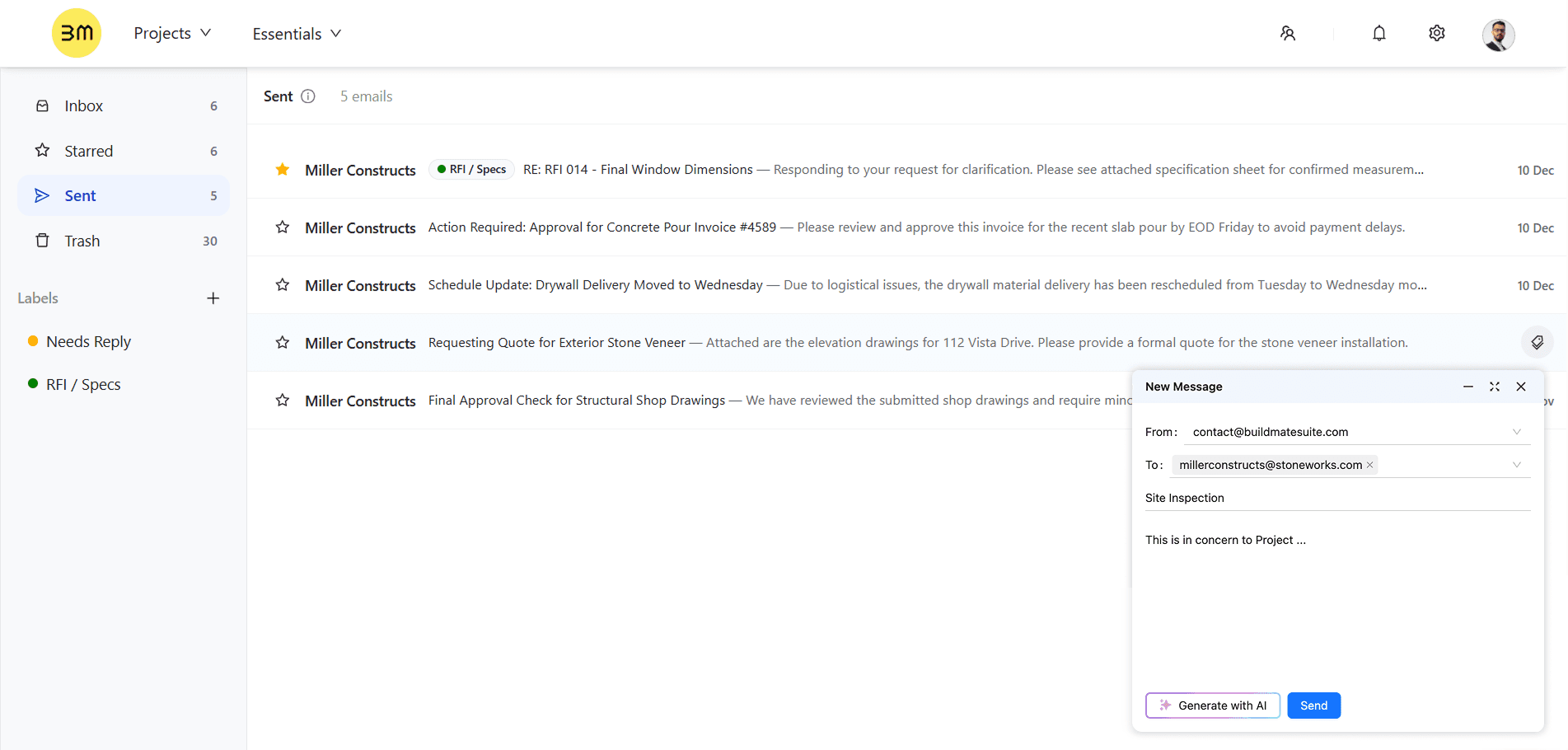
You can now send emails directly from within Buildmate regarding any specific task or project. This crucial feature keeps your communication centralized. This ensures that all external communication related to the work stays logged and traceable within the platform, improving accountability. You can also
Star emails for quick favorites and priority viewing.
Add Labels have been added to organize your inbox and categorize conversations.
New Feature
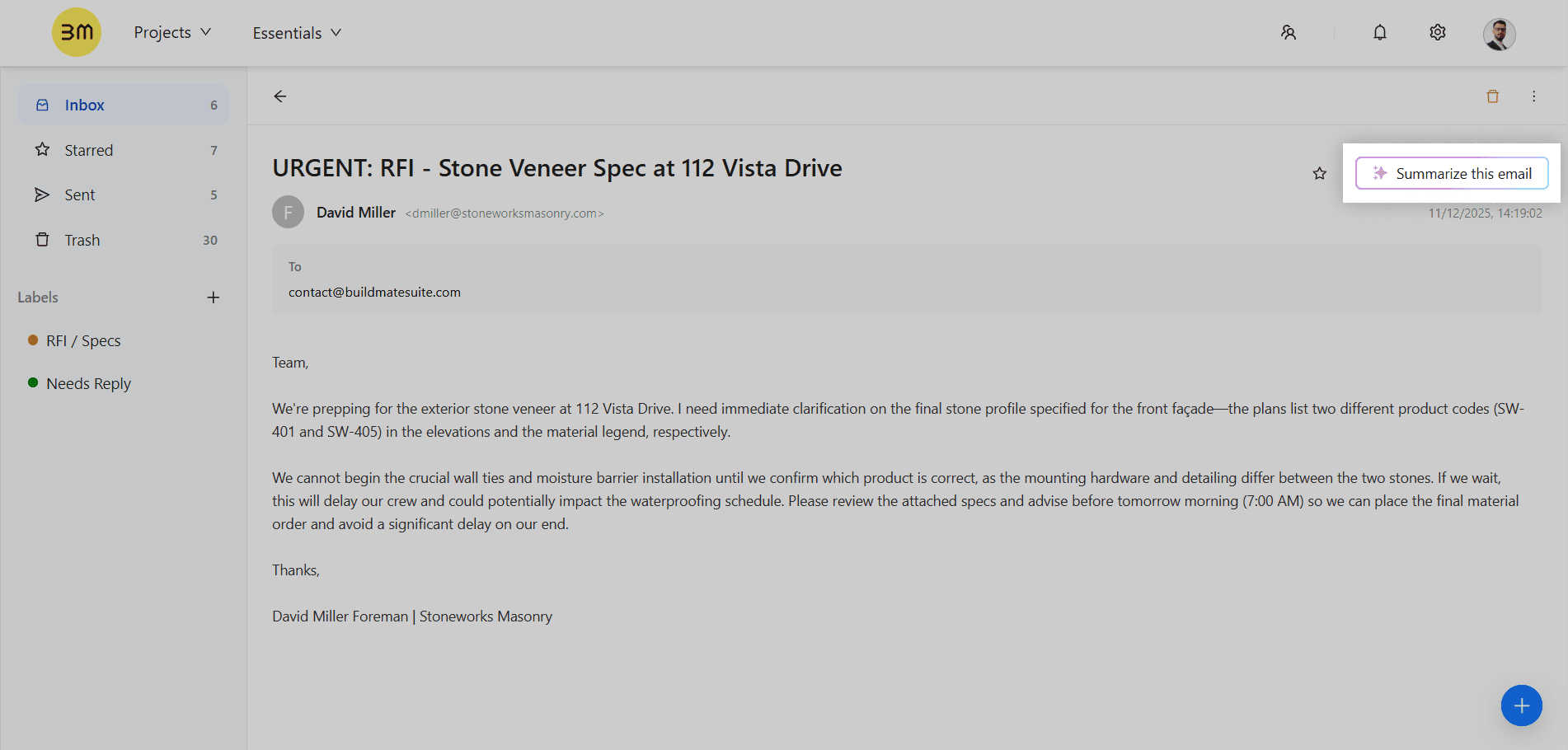
Drowning in long email threads? Buildmate’s new Summarize AI is here to help. This smart AI feature quickly analyzes your emails to summarize the content and highlight crucial details in seconds. Get the gist of a lengthy discussion or a complex RFI response instantly, ensuring you never miss a critical piece of information.
Improvement
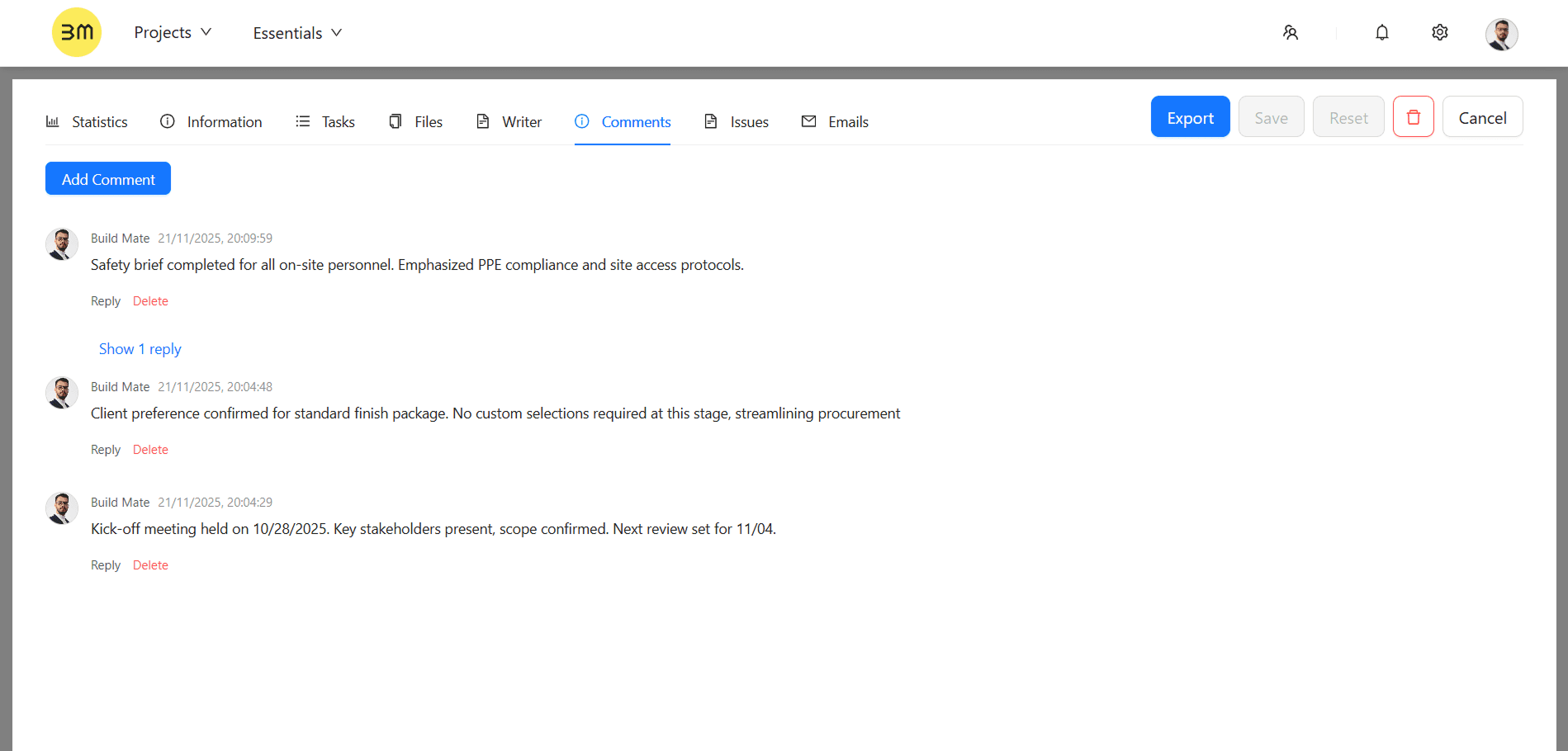
New in Projects: Add Comments to Projects
Collaboration just got more flexible. You can add general comments or announcements to your entire project, not just individual tasks. Use this space for team-wide announcements, high-level strategy discussions, or general project notes that don't need a specific task attachment.
Improvement
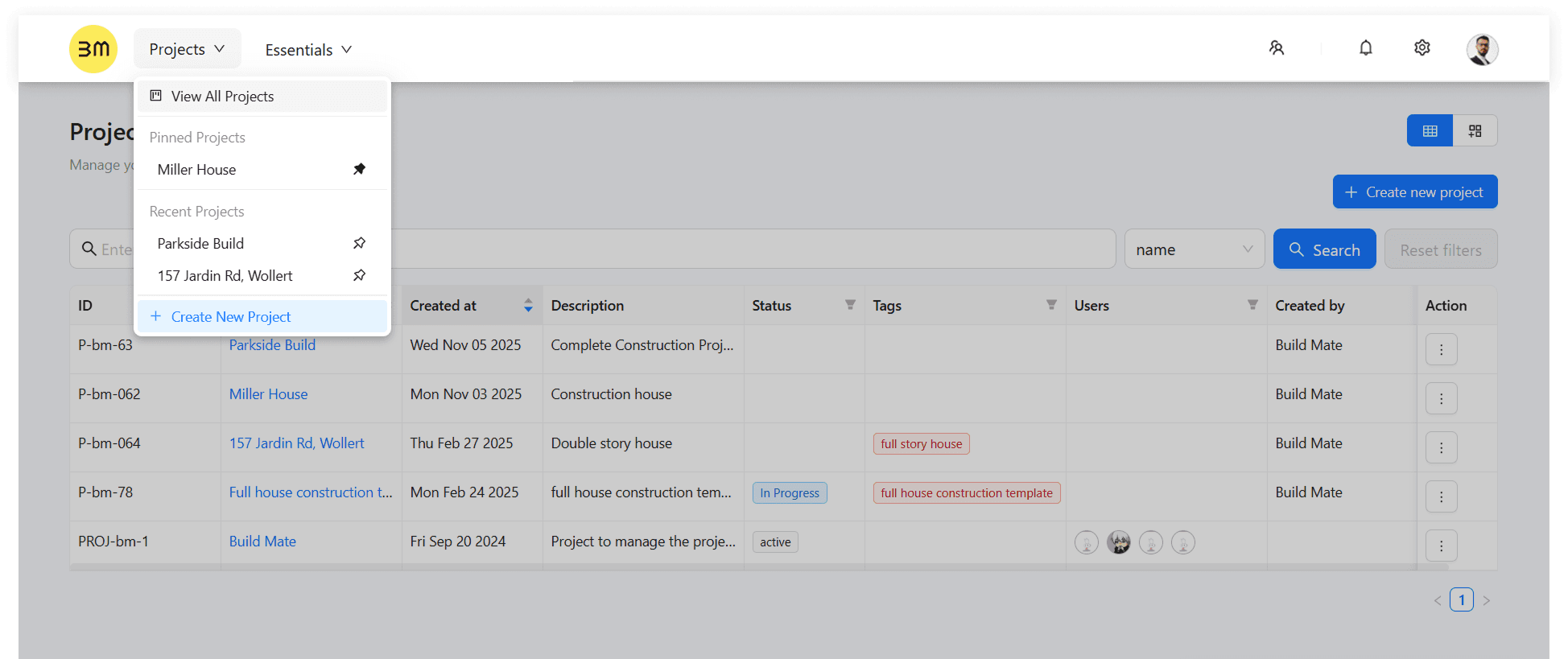
Introducing the New Navigation Menu Layout: We’ve rolled out a cleaner, more intuitive look and feel. The new navbar is simpler and better organized, streamlining navigation across modules so you can access your your core work — Projects, Essentials, Settings, Profile — with fewer clicks.
That’s all for this month. Sign up to explore these features and a lot more. Stay tuned!